
In order to print on a Canon printer, you need to connect your xxx card to your account once. You can also connect other cards such as an OV chip card. You can do this on a Canon printer.
Connect
- Put your card on the card reader and wait until you hear a beep.
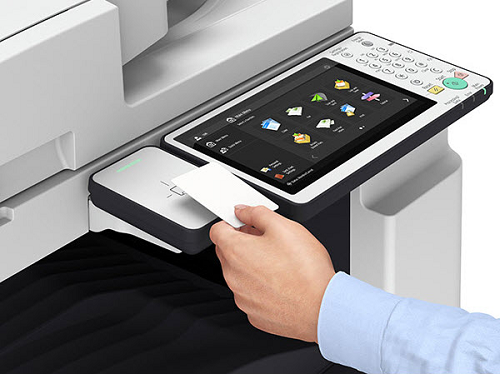
- The Canon printer indicates that the card is unknown.
- Enter your xxx username and password.
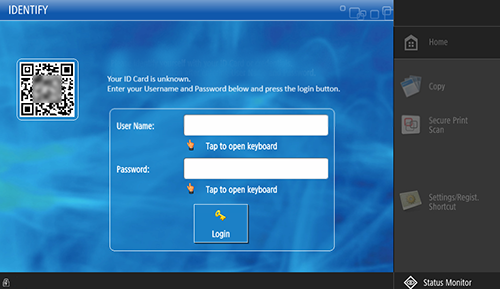
- Tap [Login].
- Your card is now connected and can be used to log in at one of the Canon printers.
- Tap [Log out] or put your card on the card reader until you hear a beep tone.
Disconnect
If you have lost your card or no longer want to use it for printing, you can disconnect it in the print portal.
- Go to: https://naam.mycampusprint.nl
- Log in with your xxx username and password.
- Press the
button.
- Click on [Cards].
- Click [Disconnect cards].
- Click on [Log out].