-
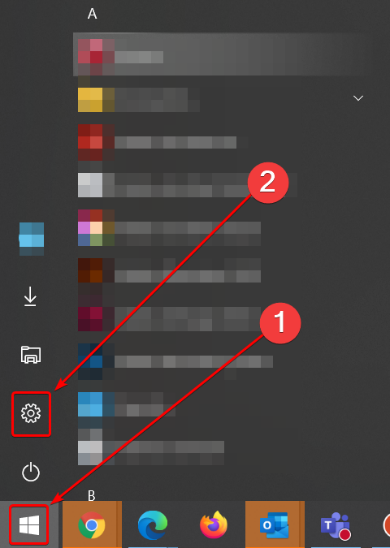
Click on the Windows Start button and go to the Windows settings [Control Panel].
2. Select [Apps].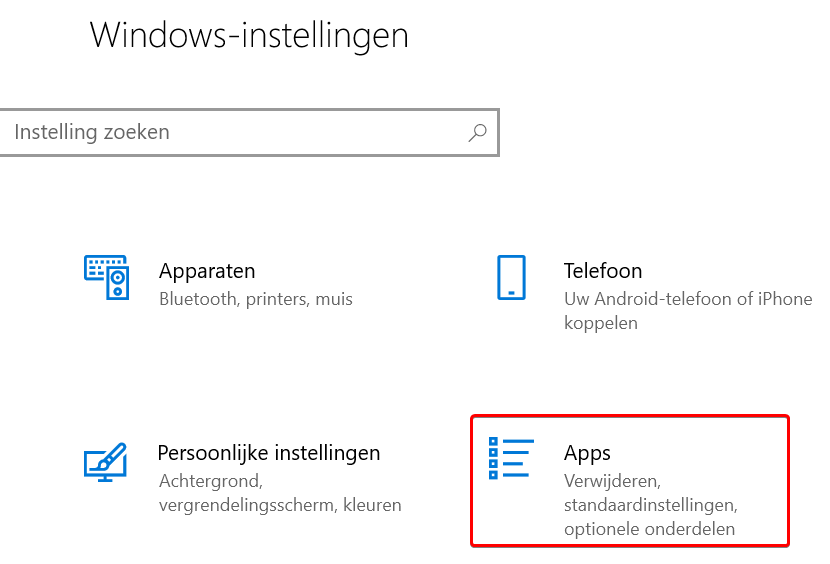
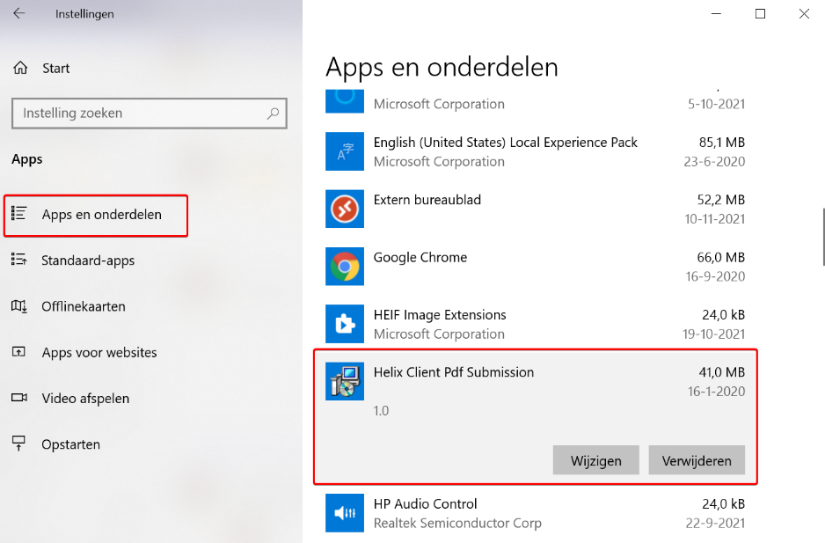
3. Select 'Helix Client Pdf Submission' and click [Uninstall].
4. If the following message appears, click on [Yes].

5. The program will now be removed.
6. The internet printer is now removed.
Remove the xxx Internet Printer for Windows 10
